Account And PreferencesWeb and mobileAthletes7 min
Workout Preferences, Smart Loads, And Units
Set tracking mode, load units, distance units, and smart load suggestions from one place.
Updated May 9, 2026
The Preference Set
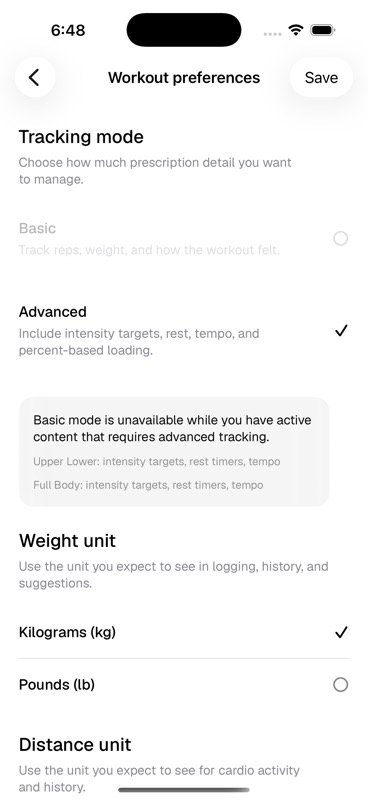
- Tracking mode
- Basic keeps the workout surface simpler. Advanced enables intensity targets, rest, tempo, percent-based loading, and smart loads.
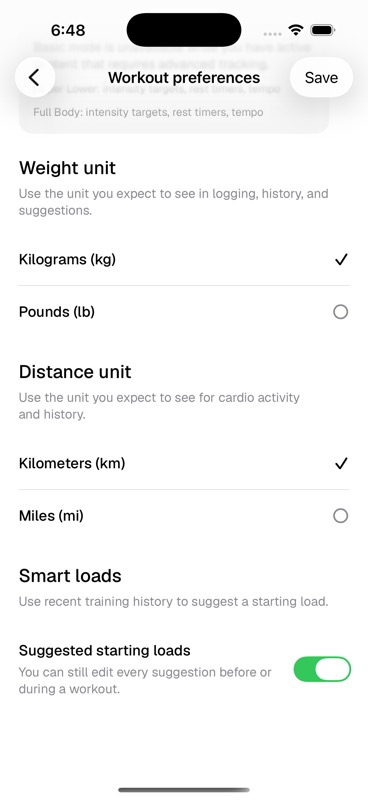
- Weight unit
- Choose kilograms or pounds for logging, history, and load suggestions.
- Distance unit
- Choose kilometres or miles for cardio activity and history.
- Smart loads
- Use recent training history to suggest a starting load. This is a suggestion layer, not a locked prescription.
Smart Loads In Practice
Keep Advanced tracking on
Smart loads depend on the Advanced workout model, so they are not available in Basic mode.
Train normally
Kiron uses recent logged work to produce a suggested starting load where it has enough context.
Edit the suggestion when needed
You can still change the load before or during the workout. The suggestion is there to reduce setup friction, not to override your judgement.