
Mobile TrainingMobileAthletes8 min
Log Strength Workouts On Mobile
Follow the planned targets, record completed work, use timers and notes, then review the session before saving.
Updated May 9, 2026
During The Workout
Follow the planned order
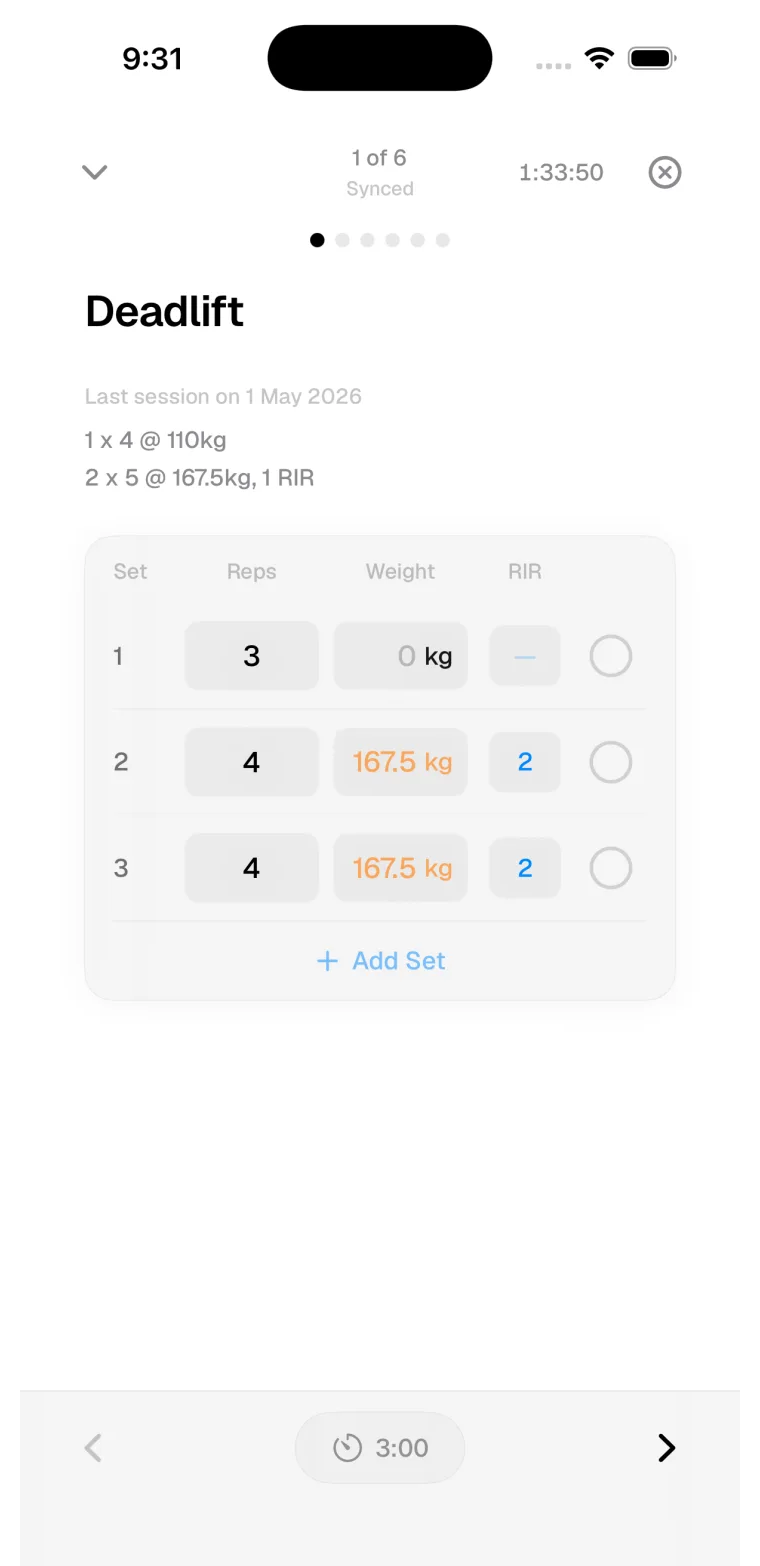
The logger shows the session structure first: exercise order, set targets, notes, and advanced prescriptions when the program uses them.
Record what happened
Enter completed reps, load, and set details as you train. If the set changed, log the real result rather than editing history later.
Use session tools
Add an exercise when needed, use rest timer controls when the plan includes rest, and keep notes close to the work they explain.
Review Before Saving
After the logged work, Kiron shows a review step for session notes and effort. Effort starts unset, so the saved value reflects an intentional choice rather than a default.