
Security, Subscription Sources, And Account Deletion
Know how device sessions, connected sign-in methods, web billing, App Store billing, and deletion blockers work.
Updated May 9, 2026
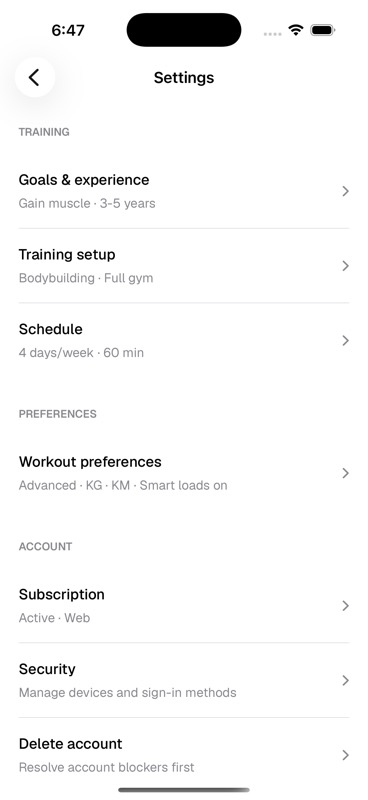
Security
Security settings are for active sessions and sign-in methods. On web, the Account security page shows the browsers and devices signed into the account, lets you sign out other devices, and lets you sign out an individual non-current session.
- Active devices
- Review current and previous sessions, including device label, sign-in time, expiry, and IP address when available.
- Session controls
- Sign out every other active device at once, or revoke one non-current device session from the list.
- Connected accounts
- Apple, Google, and email/password sign-in methods appear here. Kiron keeps at least one usable sign-in method connected so the account cannot be locked out.
- Fresh sign-in
- Sensitive security changes can ask you to sign in again before Kiron changes sessions or connected accounts.
Subscription Source Matters
Subscription management depends on where the subscription was created. Web-managed subscriptions use Stripe. iOS purchases use the App Store through the mobile billing flow. Both web and iOS can show subscription state, and iOS can route you to the right manage destination, but the cancellation and payment controls still live with the billing source that owns that subscription.
- Web Stripe
- Use the web Subscriptions page to start checkout or open Stripe billing for a web-managed subscription. Stripe handles invoices, payment methods, and cancellation for that source.
- iOS subscription screen
- Use mobile to buy, restore App Store purchases, or manage an active plan. If the plan was bought on web, mobile opens the Kiron website. If it was bought through iOS, mobile opens Apple subscription management.
- External Pro state
- If Kiron sees Pro through another source linked to the account, web can show that Pro is active while keeping web billing actions locked for that external source.
Account Deletion
Account deletion starts from the danger zone. Kiron sends an email confirmation link first, then asks for one more confirmation before deleting anything. Deletion can be blocked while active billing or training relationships still need to be resolved.
App Store subscriptions are different: deleting the Kiron account does not cancel an active Apple subscription. If Pro was purchased through iOS, cancel that subscription through Apple as well.