Start HereWeb and mobileAll users6 min
Choose The Right Kiron Workspace
Use web for deeper building and administration, then use mobile for training, logging, review, and quick library access.
Updated May 9, 2026
The Short Version
Kiron is split by job, not by feature completeness. Web gives you more space for building programs, editing saved sessions, managing exercises, exporting history, and subscription setup. Mobile keeps the calendar, workout logger, cardio capture, review flow, and library close to the actual training session.
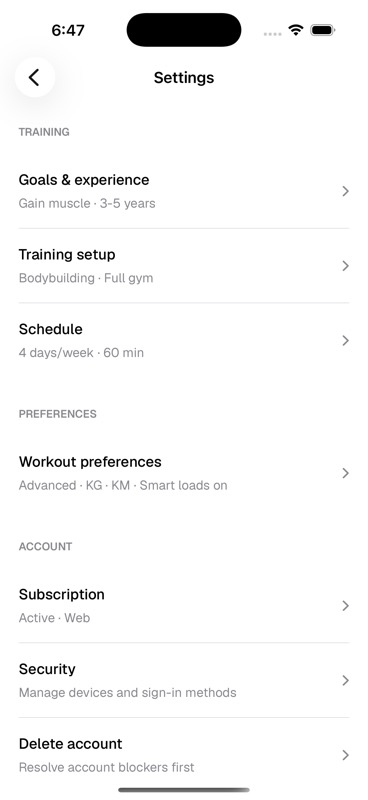
Settings sit across both. Onboarding chooses the first version of your training profile, tracking mode, units, and smart load preference, but you can revisit those decisions later from Account settings on web or Workout preferences on iOS.
- Use web for
- Program building, saved session reuse, exercise library management, advanced prescriptions, history exports, and subscription setup.
- Use mobile for
- Calendar, starting scheduled sessions, logging strength workouts, tracking cardio, reviewing completed work, and quick library lookups.
- Use settings for
- Tracking mode, smart loads, weight unit, distance unit, goals, equipment, schedule, sign-in methods, subscription, and account deletion.