Know if your training is working.

Plan the block. Train it. Understand what moved, and trust the data underneath. Every set feeds the next.

01PlanWeb

Program the block you actually mean.

Set types from warm-up to failure. Exact reps, ranges, or AMRAP. Effort as reps in reserve, tempo, rest, even loads written as a percentage of your top set.
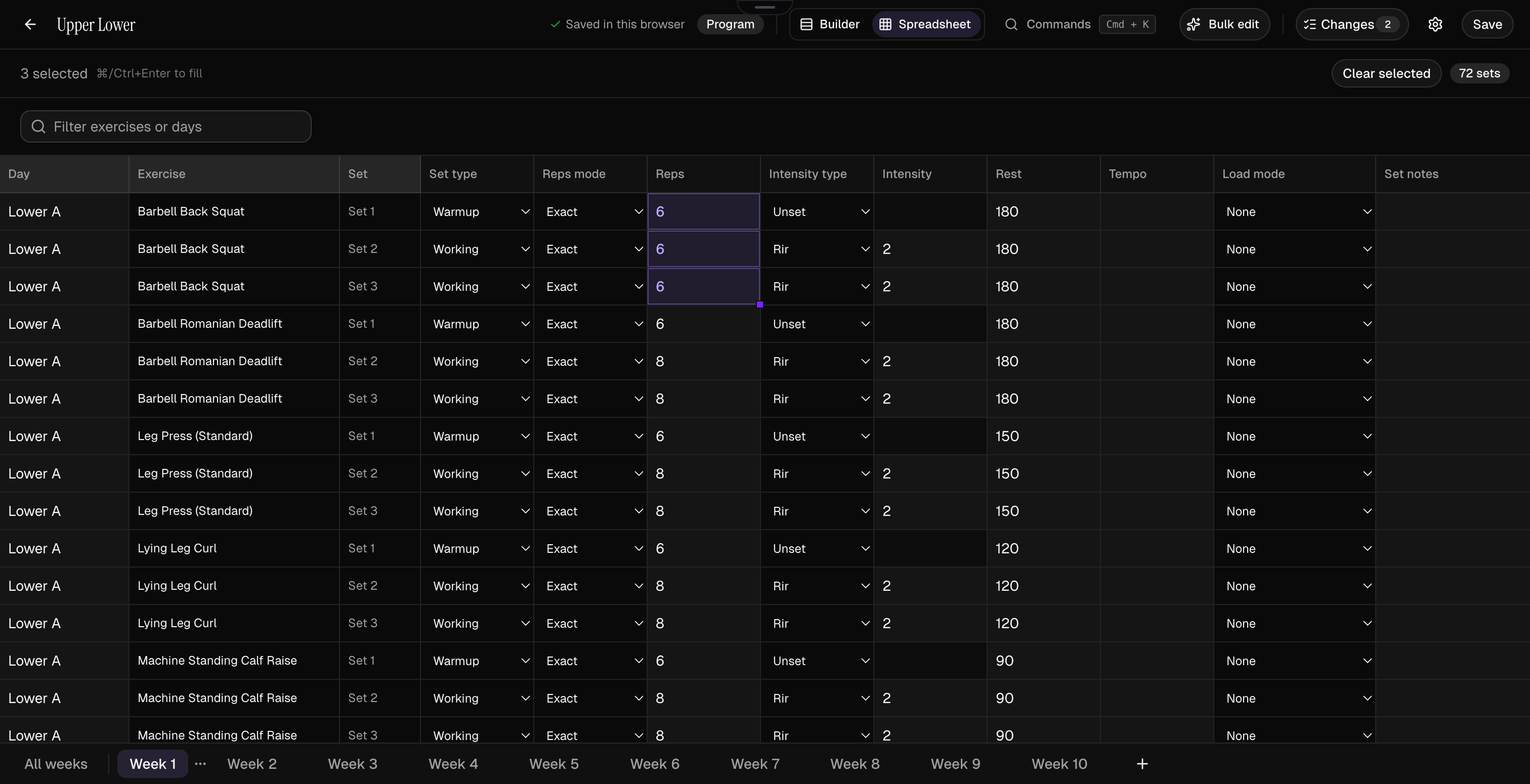
Kiron program editor in spreadsheet view: a lower-body training day with warm-up and working sets, reps, RIR, and rest per set across a ten-week block.
Fig. 01-AProgram editor
Edit at block scale
A spreadsheet view with fill and find-and-replace, bulk-edit rules with preview, and a command palette.
Every change on the record
The editor shows you exactly what changed before you save, and can walk it back after.
Sessions you keep
Save a session once and drop it into any program. Custom exercises and CSV import included.
A schedule you own
Choose your training weekdays. Move days, pause weeks, resume when life allows.

One edit

changes a progression across every week of the block.
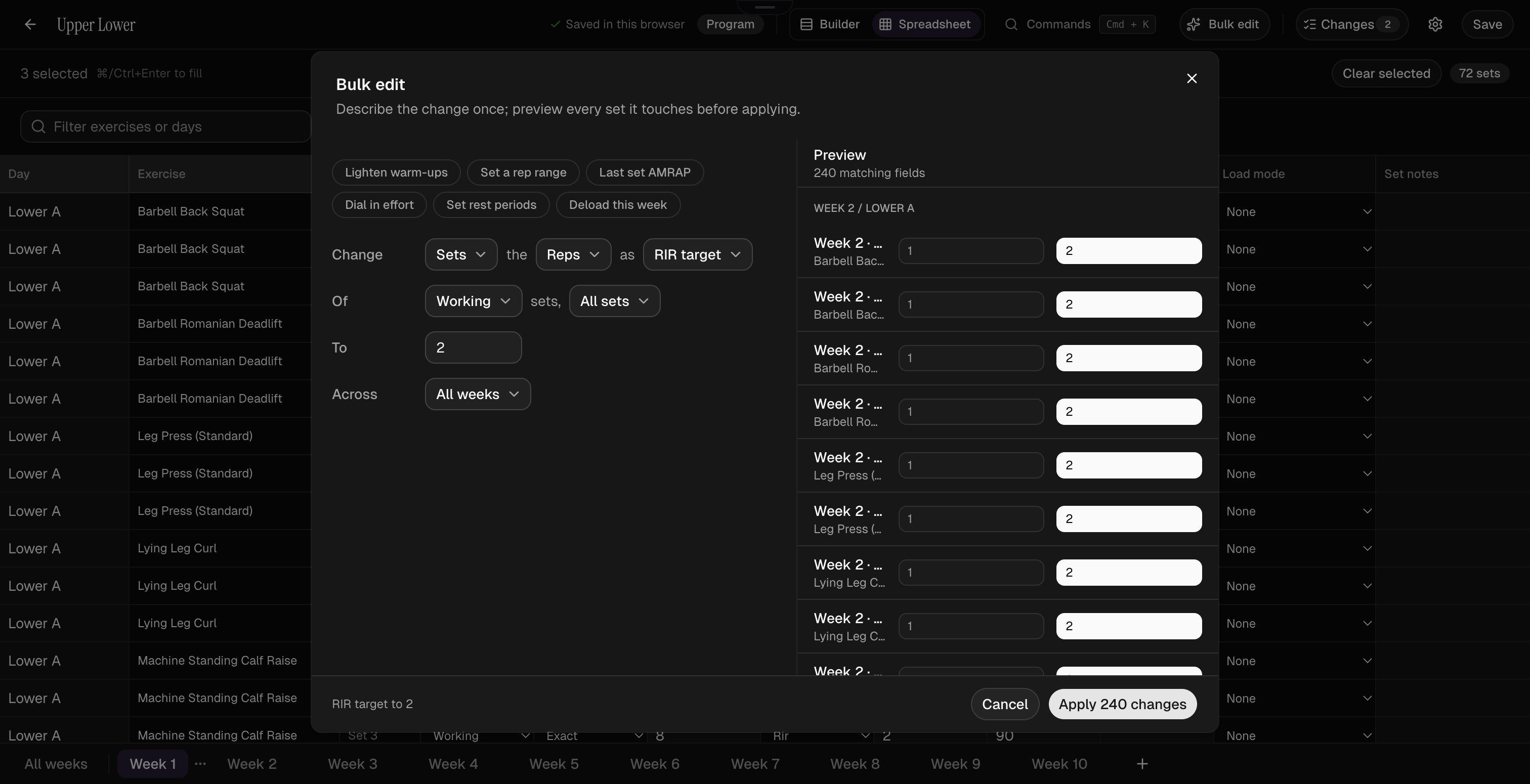
Kiron bulk edit dialog: one rule setting the RIR target of all working sets across all weeks, with a preview of all 240 matching fields before applying.
Fig. 01-BBulk edit preview
02TrainiOS

Logging that keeps up.

What you did last time, what to load this time, and a rest timer that follows you to the lock screen.
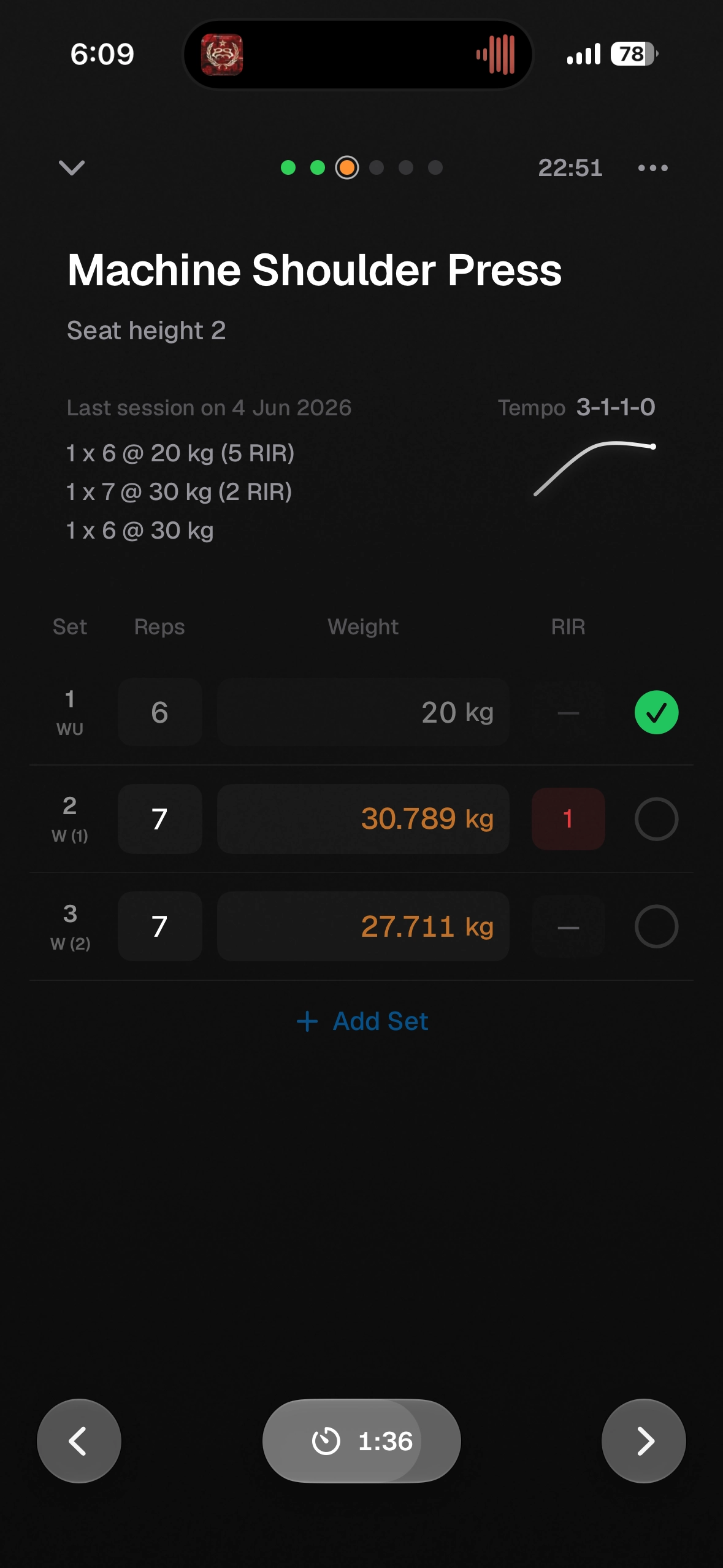
Kiron set logging on iPhone: machine shoulder press with last session's sets and RIR shown above the rows being logged, a rest timer running below.
Fig. 02-ASet logging
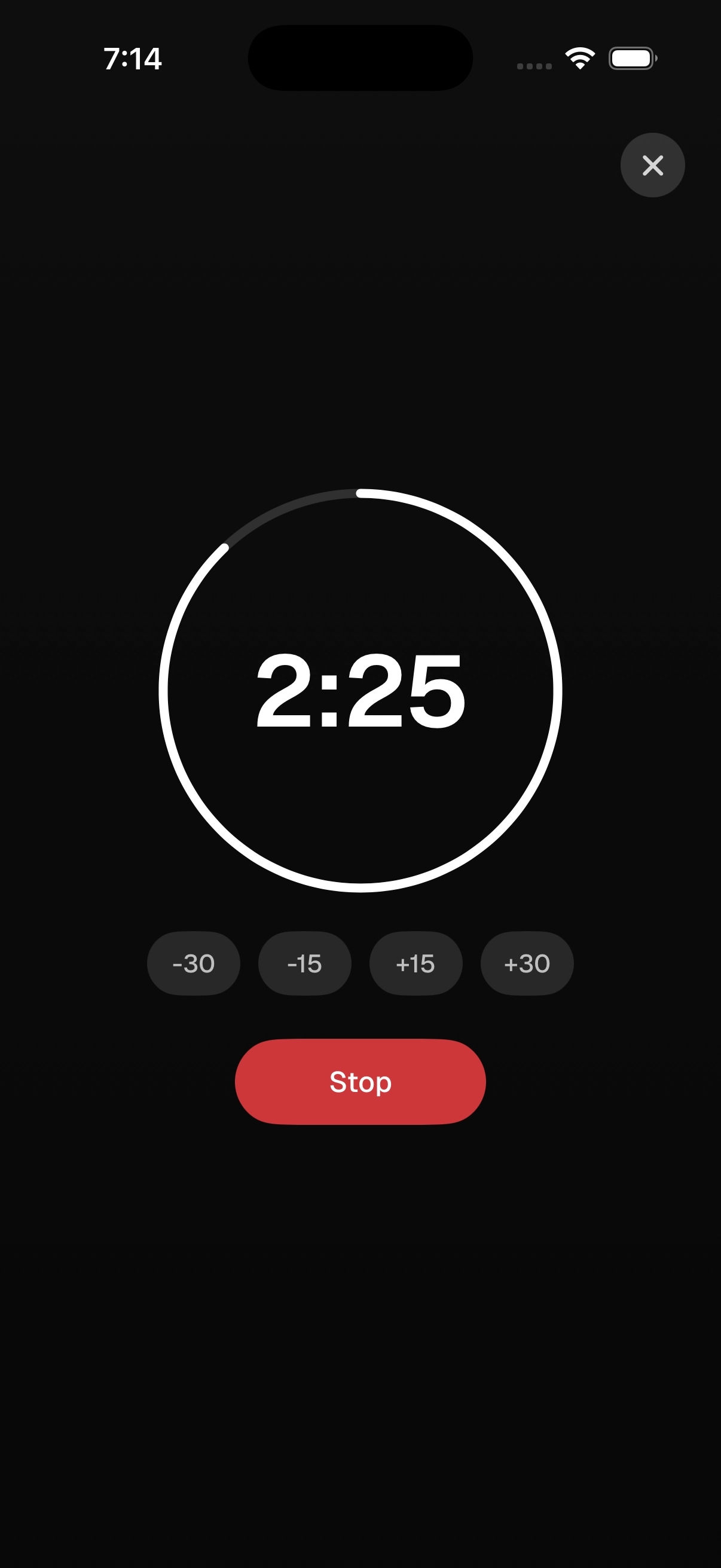
Kiron rest timer on iPhone: a 2:25 countdown ring with quick adjust buttons for plus and minus fifteen and thirty seconds.
Fig. 02-BRest timer
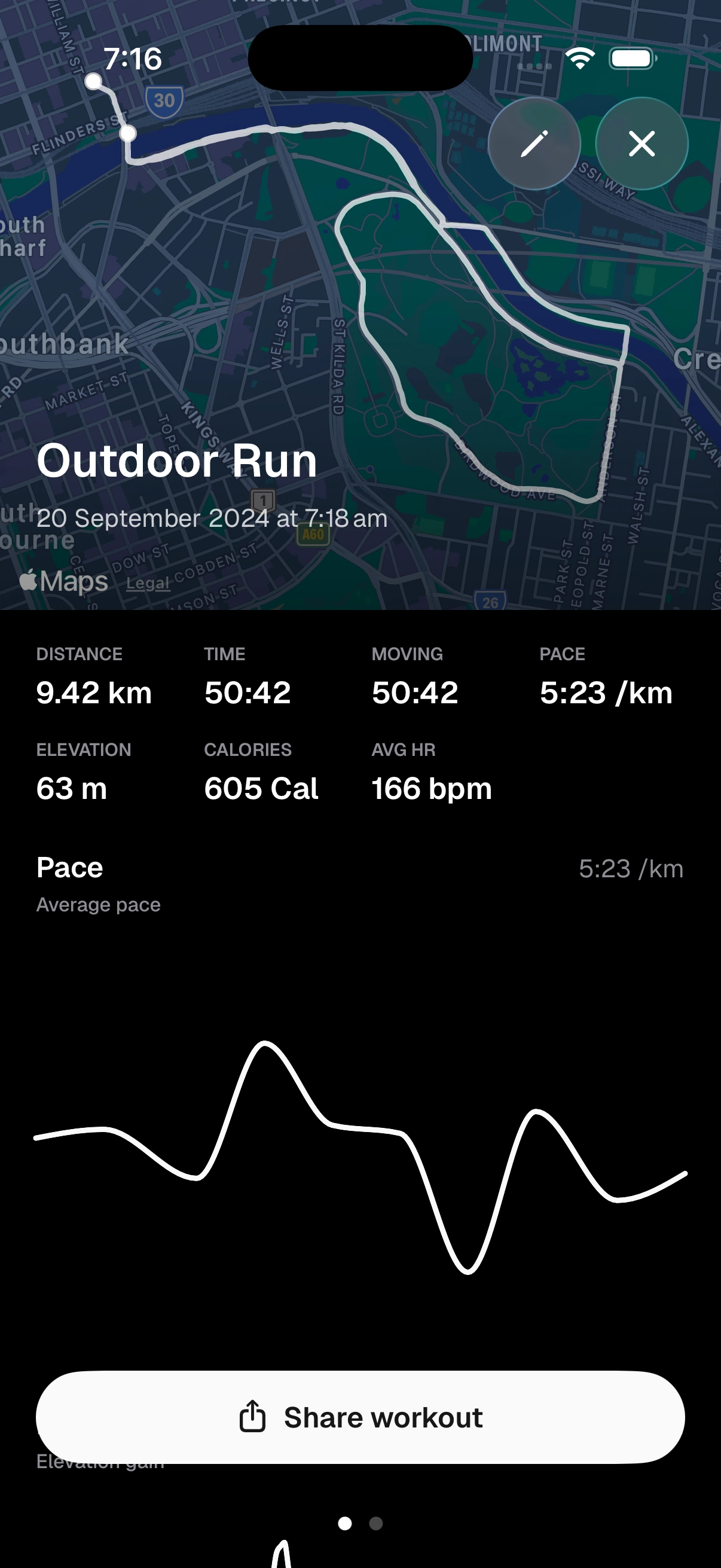
Kiron outdoor run tracking on iPhone with live route, pace, and moving time.
Fig. 02-COutdoor run
Your last session, right there
Last time's weight, reps, and effort sit under the set you're logging. Autofill them and move on.
A suggested load
Worked out from your logged sets and estimated 1RM, adjusted for the reps you left in reserve.
Built for mid-session
The rest timer runs in the Dynamic Island, the workout minimizes while you reply, and whole sessions log offline.
Cardio gets the full treatment
Live pace, GPS routes, moving time, kilometre splits, and intervals executed against their targets.

Every finish gets a proper celebration: PRs called out with their own haptic, and sharing that trims the start and end off your route before it goes anywhere.

0

cardio activity types, logged with the same care as your lifts.
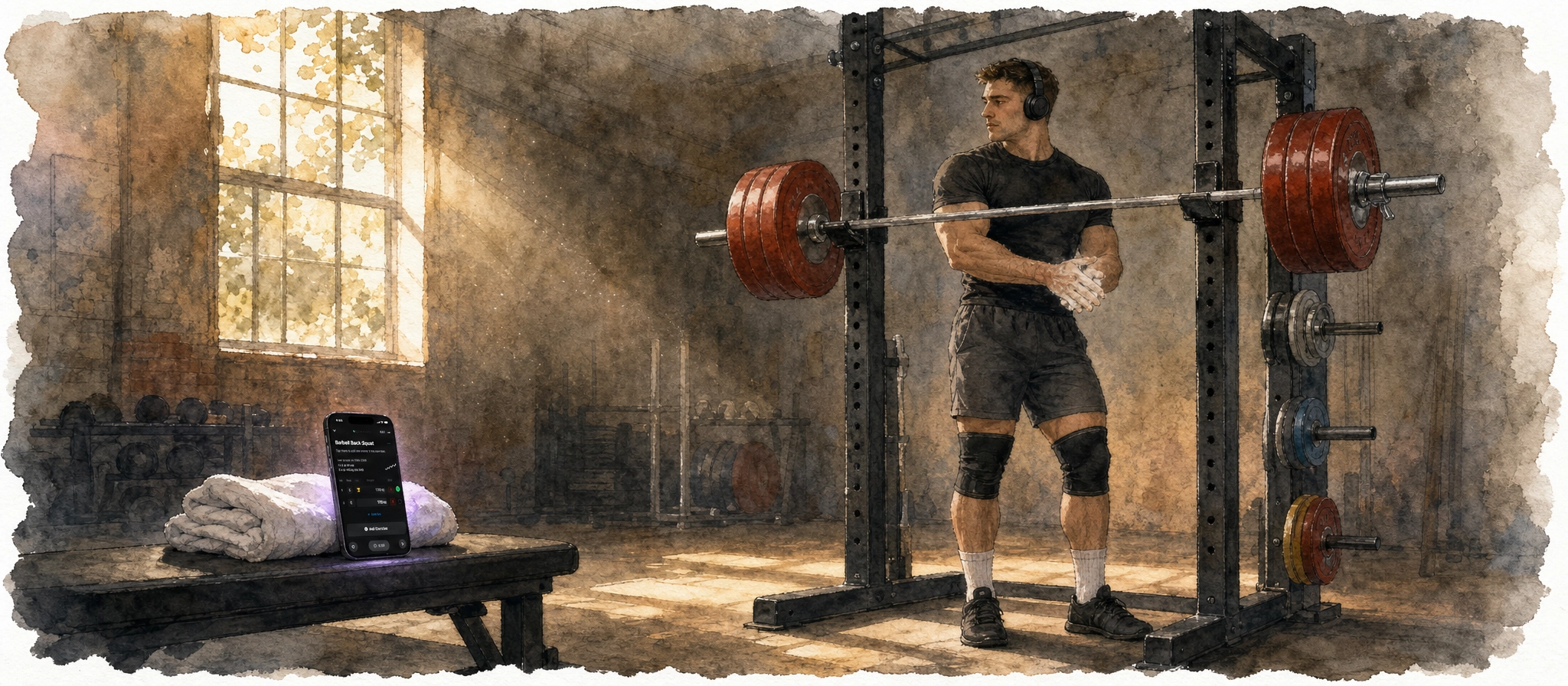
Watercolor painting of a powerlifter resting between sets at a squat rack, a phone propped on a bench nearby showing the workout log.
Fig. 02-DAt the rack
03UnderstandWeb · iOS

Am I progressing, and why?

The progression diagnosis reads your history and gives a straight verdict: progressing, stalled, or declining. Then it shows the drivers.
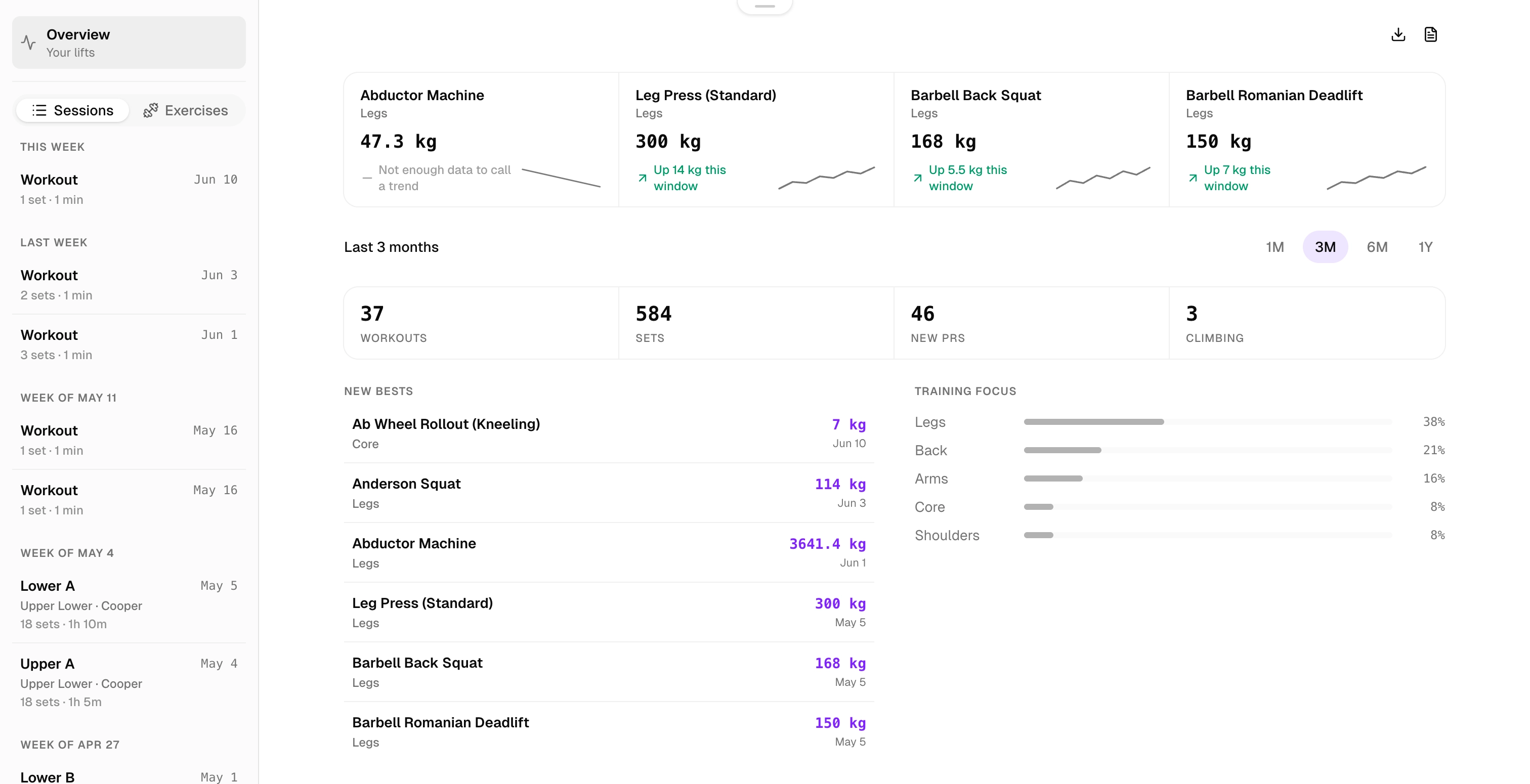

Kiron history overview on the web: top sets per lift with trend sparklines, three months of workout, set, and PR counts, a list of new bests, and training focus split by muscle group.
Fig. 03-AProgression diagnosis
A clear verdict*
Each lift gets a call based on where your estimated 1RM is actually heading. If there isn't enough data to say, it says that.
Four drivers*
Frequency, effort, load versus reps, and how recent your last PR is. Each one shows which way it's pulling.
Effort counts in the math
Estimated 1RM credits the reps you left in reserve. Warm-ups and drop sets never set a PR.
Cardio gets a read too*
Your fastest 1 km, 5 km, and 10 km pulled straight from your routes, plus pace and heart-rate trends across the block.
Watercolor painting of a runner training alone on an outdoor track, mountains in the distance.
Fig. 03-BSteady state
04TrustWeb · iOS

A diagnosis is only as good as the data.

One mistyped set shouldn't skew the trends and PRs everything else depends on. Kiron is built so it can't.

Correct the record
Fix a mistyped set after the workout closes, or repair a previous-performance entry from your history.
Suggestions stay honest
Every suggested load records whether you accepted, edited, or rejected it.
Plays nicely with Apple Health
Continuous import, twelve months of backfill, and write-back to Health.
It leaves cleanly*
Export your history to CSV and PDF whenever you want. Delete your account and the data goes with it.

Counted once

every Apple Health import is de-duplicated by workout.

Backfill
Twelve months of Health history on connect
Write-back
Workouts land back in Apple Health
Corrections
Sets stay editable after a session closes
Suggested loads
Accepted, edited, or rejected on the record
PR eligibility
Warm-ups and drop sets never count
Export
CSV and PDF, any time*
Deletion
Your data leaves with you
Table 04-AIntegrity record

Everything else

The parts that don't need a chapter.

  • Exercise library

    Search by muscle group, movement pattern, and equipment.

  • Custom exercises

    Your movements, named your way.

  • Saved sessions

    Reusable sessions, dropped into any program.

  • Calendar

    Training weekdays you choose; move, pause, resume.

  • Weekly review

    Your week, summarized in a notification.

  • Units & themes

    kg or lb, km or mi; light, dark, system.

Start with the details.

Free includes full logging, previous performance, suggested loads, thirty days of history, six programming weeks, four saved sessions, and twenty-five custom exercises.

* Part of Kiron Pro: the progression diagnosis, cardio trends and best efforts, unlimited history and programming, and CSV and PDF export.